eLearning System Selector Tool
Answer these three questions to find the ideal eLearning architecture for your organization.
Recommended System
Key Features You Need:
Imagine trying to run a massive university without a campus. No lecture halls, no physical libraries, just thousands of students logging in from different time zones. How do you keep track of who watched the video, who passed the quiz, and who needs extra help? You don’t use spreadsheets. You use an eLearning system.
That’s the core of it. An eLearning system isn’t just a website with PDFs. It’s the digital engine that powers modern education and corporate training. Whether you’re a student taking a coding bootcamp or an employee completing mandatory compliance training at work, you are interacting with this technology right now.
If you’ve ever wondered how these platforms actually work under the hood, or why your company switched to one last year, you’re in the right place. We’ll break down what makes up these systems, the different types available, and why they have become the standard for delivering knowledge globally.
The Core Components of an eLearning System
To understand what an eLearning system is, you first need to look at its parts. Think of it like a smartphone. The screen is what you see, but the operating system, apps, and cloud storage are what make it useful. Similarly, an eLearning ecosystem consists of several distinct layers working together.
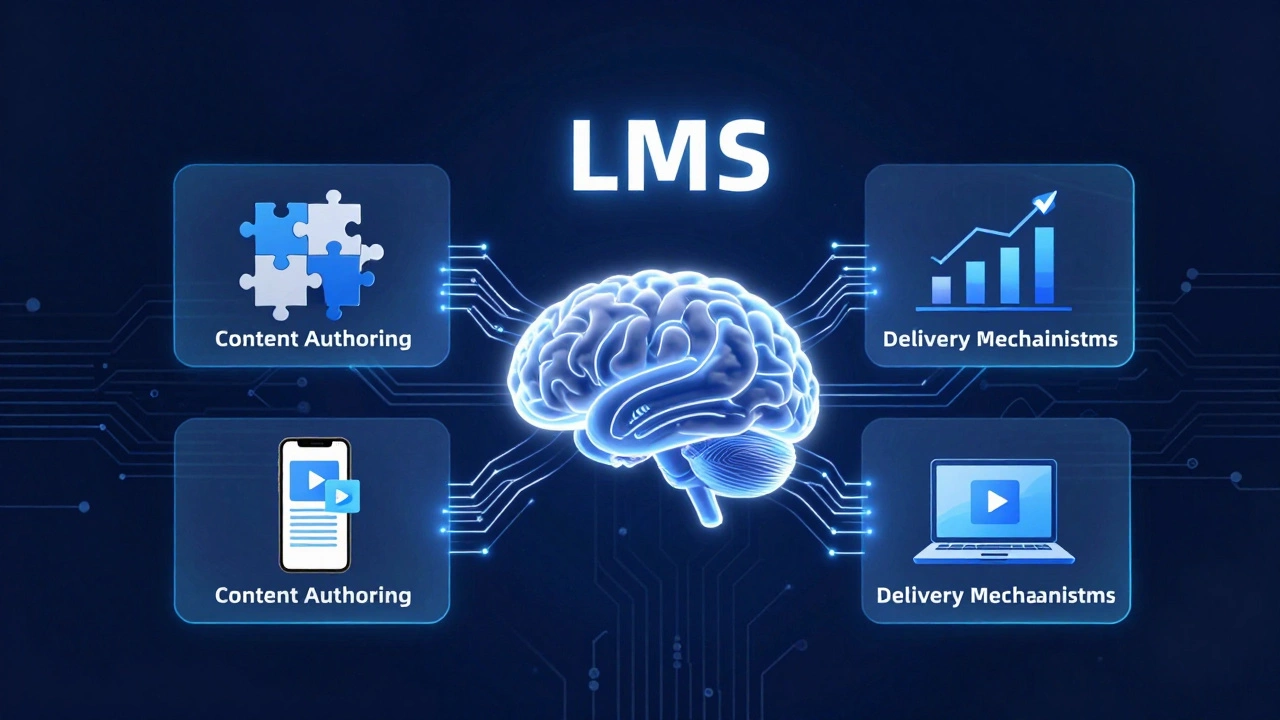
Learning Management System (LMS) is the central software platform that hosts, delivers, and tracks learning content. This is the brain of the operation. Without an LMS, there is no organized way to manage users or data. Popular examples include Moodle, Canvas, and Blackboard.
But the LMS doesn’t work alone. It relies on three other critical components:
- Content Authoring Tools: These are the programs used to create the actual lessons. Instead of just typing text into a document, instructional designers use tools like Articulate Storyline or Adobe Captivate to build interactive modules with quizzes, drag-and-drop activities, and video embeds.
- Delivery Mechanisms: This refers to how the content reaches the learner. Most modern systems deliver content via web browsers, mobile apps, or virtual classrooms using tools like Zoom or Microsoft Teams integrated into the platform.
- Assessment and Analytics Engines: This is where the data lives. When you take a test, the system records your score, time taken, and areas where you struggled. This data helps instructors identify gaps in understanding.
When these pieces connect seamlessly, you get a functional eLearning system. If one part is weak-say, the analytics don’t talk to the LMS-the whole experience falls apart.
Types of eLearning Systems: Which One Fits Your Needs?
Not all eLearning systems are built the same. The architecture depends heavily on who is using it and why. Generally, we categorize them into three main buckets based on their deployment and purpose.
1. Learning Management Systems (LMS)
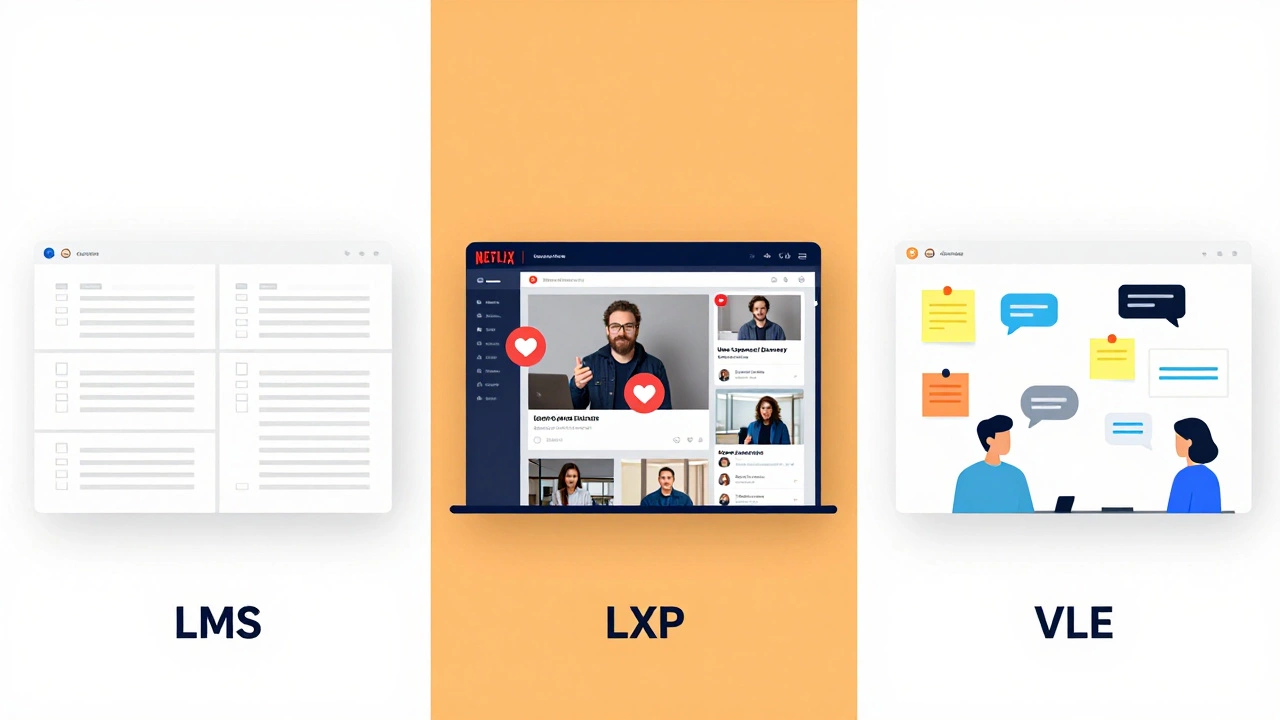
This is the most common type. An LMS is designed for structured learning paths. It’s hierarchical: administrators create courses, assign them to groups, and learners complete them in a specific order. Companies use LMS for onboarding new hires. Universities use them for semester-long classes. The key feature here is control and tracking.
2. Learning Experience Platforms (LXP)
LXPs are the newer, more consumer-friendly cousins of LMS. While an LMS pushes content down to the user ("You must watch this video"), an LXP pulls content up to the user ("Here’s what you might want to learn next"). LXPs focus on personalization, social learning, and ease of use. They often aggregate content from multiple sources, including YouTube, LinkedIn Learning, and internal documents, creating a Netflix-like experience for education.
3. Virtual Learning Environments (VLE)
VLEs are typically used in academic settings. They mimic the traditional classroom environment digitally. Beyond just hosting videos, VLEs often include forums, group project spaces, and direct messaging between teachers and students. Moodle is a classic example of a VLE that functions as both an LMS and a collaborative workspace.
| Feature | LMS | LXP | VLE |
|---|---|---|---|
| Primary Focus | Tracking & Compliance | User Experience & Discovery | Collaboration & Academics |
| Content Control | Centralized (Admin-driven) | Decentralized (User-driven) | Instructor-led |
| Best For | Corporate Training | Upskilling & Continuous Learning | Schools & Universities |
| Analytics Depth | High (Compliance focused) | Medium (Engagement focused) | High (Academic performance) |
Choosing the wrong type can lead to frustration. If you put employees in an LXP expecting strict compliance reporting, you’ll struggle. If you force students into a rigid corporate LMS, engagement will drop.
Key Features That Define a Modern eLearning System
So, what should you look for when evaluating an eLearning system? In 2026, basic video playback isn’t enough. Users expect interactivity, mobility, and intelligence. Here are the non-negotiable features.
SCORM and xAPI Compatibility
These are technical standards, but they matter immensely. SCORM (Sharable Content Object Reference Model) ensures that a course created in one tool works in another LMS. xAPI (Experience API) goes further, allowing the system to track learning experiences outside the platform, like watching a tutorial on YouTube or attending a workshop. Without these standards, your content is locked into one vendor’s ecosystem.
Mobility and Responsive Design
People don’t just learn at desks anymore. A robust eLearning system must be fully responsive. This means the interface adjusts automatically whether you’re viewing it on a desktop monitor, a tablet, or a smartphone. Mobile-first design is crucial because microlearning-short, bite-sized lessons-is increasingly popular for busy professionals.
Gamification Elements
Boring training kills retention. Modern systems integrate gamification mechanics like badges, leaderboards, points, and progress bars. These aren’t just toys; they leverage psychological triggers to motivate learners. When a user sees a progress bar fill up, they feel a sense of accomplishment that encourages them to finish the module.
AI-Driven Personalization
This is the frontier of eLearning. Advanced systems now use Artificial Intelligence to recommend content based on a user’s role, past performance, and learning style. If a salesperson struggles with objection handling, the AI might suggest a specific role-play simulation rather than a generic sales theory video.
Benefits of Implementing an eLearning System
Why do organizations invest tens of thousands of dollars in these platforms? The return on investment usually comes from three areas: scalability, consistency, and cost reduction.
Scalability is the biggest advantage. In a traditional classroom, if you want to train 10 people, you need one instructor. If you want to train 10,000, you need 1,000 instructors or a very long time. With an eLearning system, you create the content once and deploy it to millions instantly. There is no limit to the number of concurrent users.
Consistency ensures everyone gets the same message. Human trainers have bad days. They might skip a slide or explain a concept differently. An eLearning system delivers the exact same information, tone, and assessment to every single user, eliminating variability in knowledge transfer.
Cost Reduction extends beyond instructor salaries. You save on travel expenses for off-site training, venue rentals, printed materials, and lost productivity time. Employees can learn during downtime rather than sitting in a conference room for eight hours.
Common Challenges and Pitfalls
It’s not all smooth sailing. Implementing an eLearning system often hits roadblocks. Understanding these pitfalls beforehand can save months of frustration.
Low Engagement is the number one killer. If the content is static text copied from a manual, users will click through as fast as possible without retaining anything. The solution lies in instructional design, not just software. You need multimedia, interaction, and relevance.
Technical Integration Issues can halt progress. Many companies try to plug their new LMS into existing HR systems or CRM platforms, only to find the data doesn’t sync properly. Ensure your chosen system has open APIs (Application Programming Interfaces) before you sign the contract.
Change Resistance from users is real. People hate change. If you switch from face-to-face training to an online system, some employees may feel isolated or undervalued. Communication is key. Explain the benefits clearly and provide support during the transition.

Future Trends in eLearning Systems
The landscape is shifting rapidly. As we move through 2026, several trends are reshaping how these systems function.
Immersive Learning (VR/AR): Virtual Reality and Augmented Reality are moving from novelty to necessity. Medical students practice surgeries in VR. Mechanics repair engines in AR. These technologies provide safe, realistic environments for high-stakes training that traditional videos cannot replicate.
Microlearning Integration: Attention spans are shrinking. Systems are adapting by breaking long courses into 3-5 minute chunks. This allows learners to fit education into small pockets of time throughout the day, improving retention rates significantly.
Blockchain Credentials: Some forward-thinking institutions are using blockchain to verify certificates. This creates an immutable record of achievement that employers can trust instantly, reducing fraud and streamlining hiring processes.
How to Choose the Right eLearning System
Selecting a platform feels overwhelming because there are hundreds of options. Start by defining your primary goal. Are you looking for compliance tracking? Go with a robust LMS. Are you trying to foster a culture of continuous learning? Look at an LXP.
Next, evaluate your budget. Consider not just the licensing fees, but also implementation costs, customization, and ongoing maintenance. Open-source solutions like Moodle offer flexibility but require technical expertise to maintain. SaaS (Software as a Service) platforms like Docebo or Cornerstone are easier to set up but come with higher monthly fees.
Finally, demand a demo. Don’t just watch a sales pitch. Ask to log in as a learner, an instructor, and an administrator. Test the mobile app. Try uploading a course. If the interface feels clunky to you, it will feel impossible to your users.
What is the difference between an LMS and an eLearning system?
An eLearning system is the broader term that encompasses the entire ecosystem of digital learning, including content creation tools, delivery methods, and analytics. An LMS (Learning Management System) is a specific type of software within that ecosystem used to host and track courses. All LMSs are part of an eLearning system, but not all eLearning systems are just an LMS.
Is an eLearning system expensive to implement?
The cost varies widely. Open-source platforms like Moodle are free to download but require server costs and IT staff to maintain, which can add up. Commercial SaaS platforms charge per user per month, ranging from $5 to $50+ depending on features. Implementation costs also include content development, which is often the largest expense.
Can I use an eLearning system for free?
Yes, many platforms offer free tiers or open-source versions. Google Classroom and Khan Academy are free for educational use. For businesses, Moodle offers a free community edition, though you need technical skills to host it. Most commercial vendors offer limited free trials to test their software.
What is SCORM and why does it matter?
SCORM stands for Sharable Content Object Reference Model. It is a technical standard that ensures eLearning content created by one vendor can be launched and tracked by any compliant LMS. It matters because it prevents vendor lock-in, allowing you to switch platforms without losing your existing course library.
How do eLearning systems track user progress?
They use data logs generated by interactions. When a user watches a video, completes a quiz, or downloads a resource, the system records timestamp, completion status, and scores. Advanced systems use xAPI to track offline activities too, sending this data to a Learning Record Store (LRS) for analysis.